
Choosing a great hosting service is not always an easy decision. There are many and diverse types of services, and it is not always clear which of them may best suit the needs of our website.
This decision is not vital for every type of site. For a personal blog or a small showcase website, having an online presence and decent page loading speed may be enough.
However, when a site produces income, as in the case of an e-commerce website, you need to carefully evaluate the features and tools of the hosting service and choose the service that guarantees maximum performance, security, and ease of use.
In this article, we will delve into features and tools to look for in a web hosting service that allows you to perform advanced tasks while minimizing the time and effort required to manage a complex e-commerce project.
Performing advanced tasks quickly and easily can be crucial and is more important when the site has to handle a growing volume of traffic. The availability of advanced but easy-to-use tools is also essential for small businesses and start-ups with a limited budget. Therefore, services such as free migrations performed by experienced engineers and advanced management tools such as one-click staging environments can be crucial for your business.
Why is the web hosting service so vital for an e-commerce website?
Choosing web hosting for a business site is not an easy choice for three basic reasons:
- Your web hosting service can be crucial for your website’s performance: a state-of-the-art hosting service provides the infrastructure and services that can help speed up your website. This is essential for delivering a good user experience and increasing conversions.
- A great hosting service provides enhanced security measures: A hosting provider adopting security best practices is a shield for your website from cyber-attacks and protects your customer data and brand reputation.
- A premium web hosting provider should help you streamline your site management: By offering optimized configuration, a hosting service specific for WordPress makes it easier to manage your website, so allowing you to focus on your business instead of spending time and resources on configuration and troubleshooting.
We have dedicated two specific articles to hosting features that help you speed up and secure your WordPress e-commerce website.
In today’s article, we provide a deep overview of several services and tools a premium web hosting provider should include in their offer to help you run a successful online business. Let’s dive in!
Optimized configuration
When choosing a hosting service for WordPress, it is good to start with a preliminary check of the server setup. Having a server configured and optimized for WordPress and WooCommerce provides a number of benefits in performance and security and relieves you of the need to configure the server and the platform yourself.
Here is what to look for in a hosting service suitable for an e-commerce built with WordPress and WooCommerce:
- Specific PHP configuration that ensures faster script execution speed.
- Database optimization to better handle typical e-commerce loads.
- Advanced cache configuration specific to WordPress and WooCommerce.
- Integration with a Content Delivery Network (CDN).
- Implementation of additional security measures, such as firewalls and intrusion detection systems.
- Dedicated resources (CPU, RAM, disk) that can be scaled according to site needs.
Kinsta configuration is optimized for WordPress and WooCommerce
It is not easy to provide a complete list of all e-commerce optimizations we have in place for WordPress and WooCommerce websites. Being a web hosting specializing in WordPress and WooCommerce, we provide our clients with the best configuration that modern technology has to offer to ensure maximum performance, security, and ease of use of WordPress websites.
Here is a list of our main optimizations for e-commerce.
- PHP optimizations
- Database optimization
- Cache configuration
- Cloudflare CDN integration
- Dedicated resources
PHP optimizations
Kinsta provides multiple versions of PHP. Our customers can choose from all officially supported versions of PHP and two additional versions that have reached the end of their lifecycle.
This allows WordPress and WooCommerce site owners to select the PHP version that best suits their theme and plugins without having to deal urgently with any incompatibilities between core, theme, and plugins. In addition, you can always change the PHP version with a simple click.
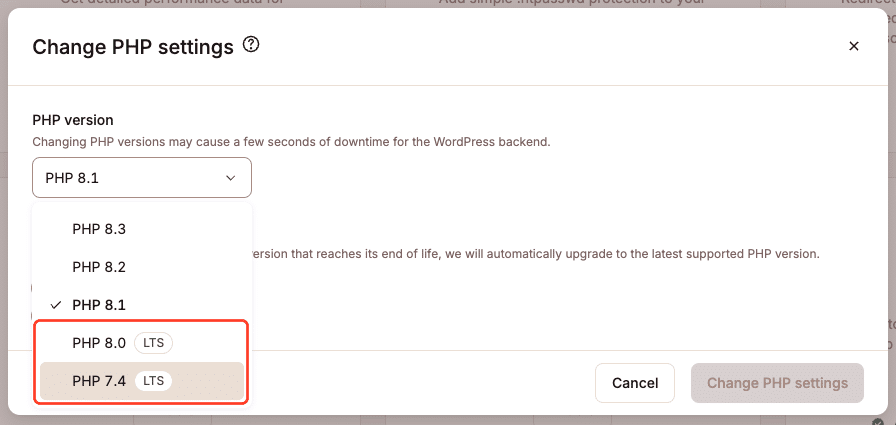
Kinsta supported PHP versions.
At Kinsta, Opcache has been available for all PHP releases since 7.3. When a PHP file or script is processed, it must first be compiled into machine-readable opcode. OPcache stores the converted opcode so that PHP will be able to skip the compilation step the next time that specific file or script is needed. Using OPcache improves PHP performance because it significantly reduces the time required to execute the same requests multiple times.
In addition, Kinsta gives you the ability to customize many aspects of the PHP configuration, such as memory limit, maximum execution time, and other parameters to fit the specific needs of your website.
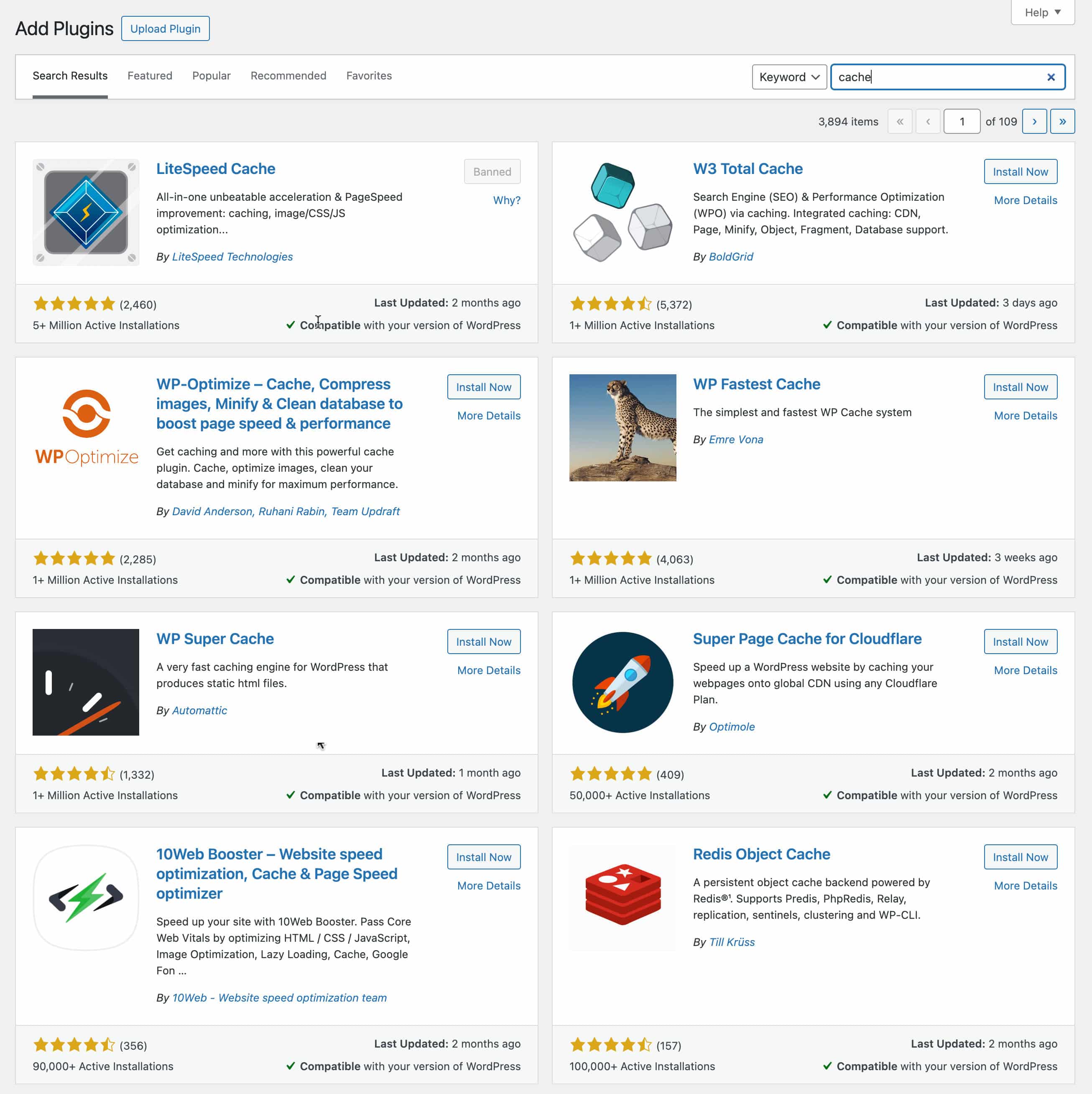
Caching plugins in the WordPress plugins library
Opting for web hosting with preconfigured caching for WordPress and WooCommerce makes your life much easier because you don’t need to deal with all the oddities of caching plugins. After all, the service provider has already optimized caching on the server to ensure the best performance.